Flowchart

Expert Mode
We are doing a full discharge test on the batteries to see how much capacity it will have in the field. This is compared to the supposed capacity which gives us the battery health.
Discharge Current
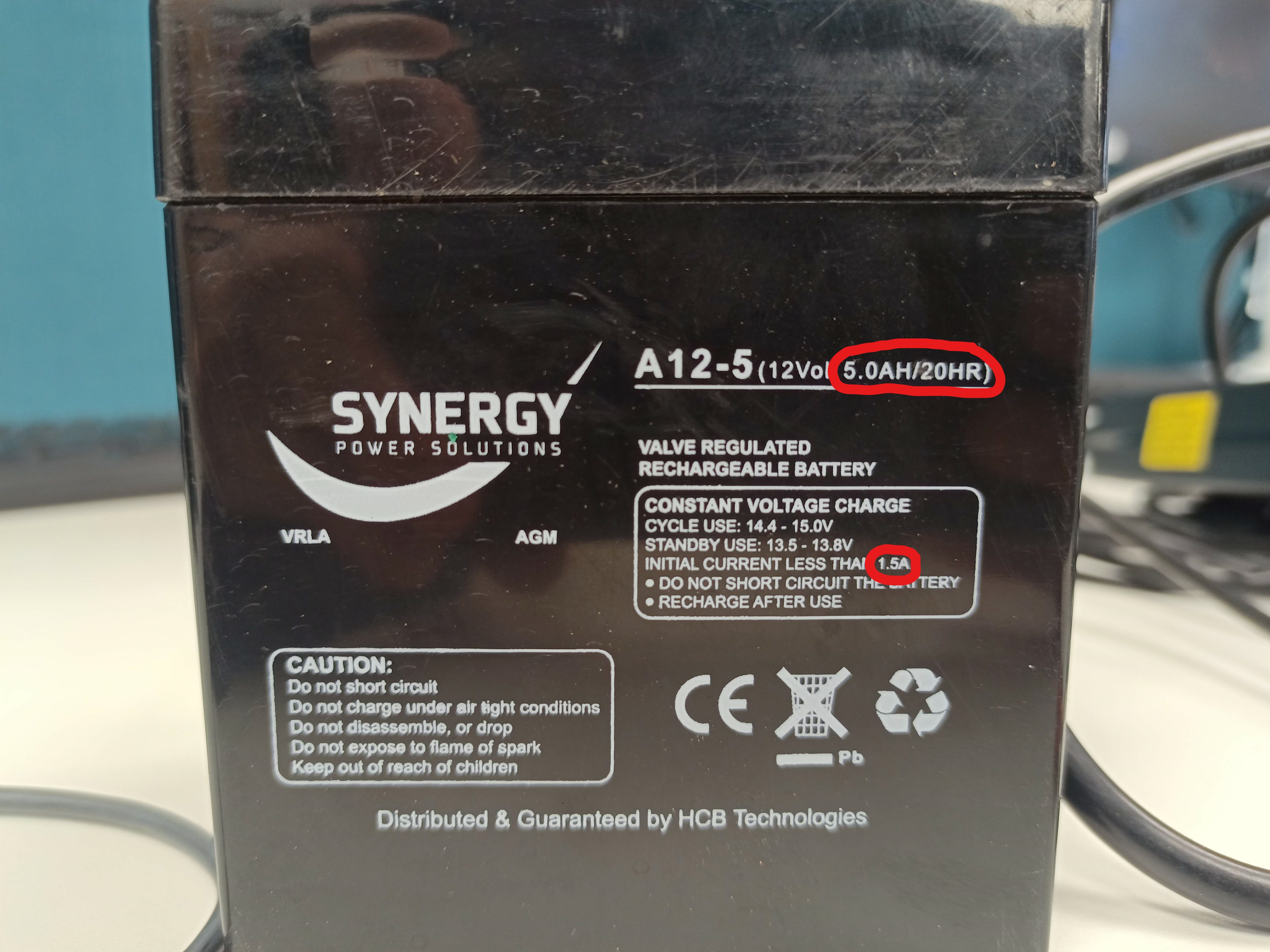
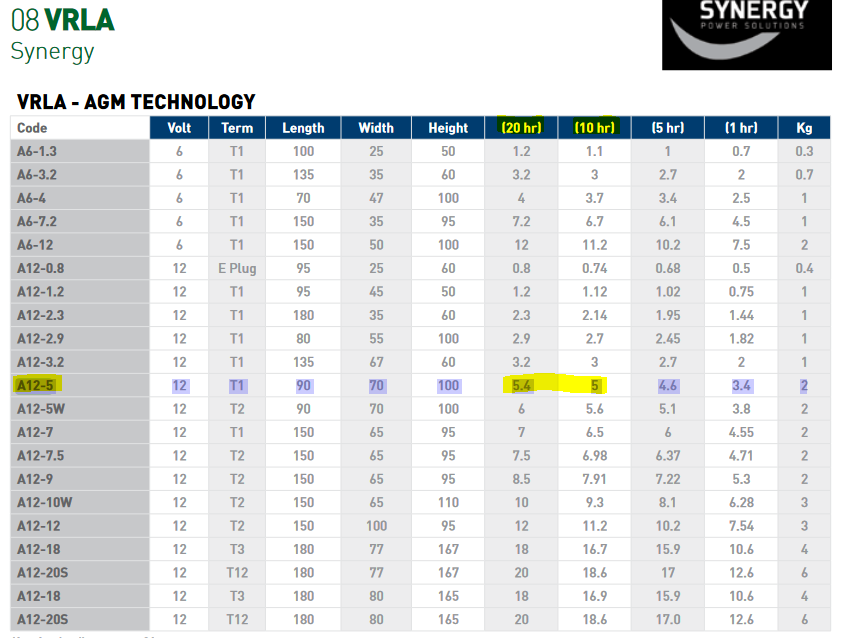
First step is to find the discharge current of the battery. The best way is to find the battery datasheet online and find the 20h capacity. The tester is limited to 100W discharge so ensure the discharge rate is less than 7.5A. Sometimes this can be calculated from the battery for example:
|
|
5AH Capacity over 20 Hr = 5/20 = 0.25A discharge rate
Ensure you have the correct rate or else one cannot compare capacity to get the battery health
Brand |
Model |
Cap@20Hr(Ah) |
Cap@10hr(Ah) |
Max Charge(A) |
Price |
|---|---|---|---|---|---|
AA Champion |
110 |
100 |
25 |
||
AMP-TECH |
105 |
95.2 |
|||
EPBLUE |
105 |
100 |
30 |
||
EPBLUE |
DG12-40 |
40 |
|||
Everexceed |
106.8 |
100 |
20 |
||
HAZE |
105 |
92.6 |
5 |
||
HAZE |
71.5 |
62.9 |
5 |
||
Hoppecke |
80 |
76 |
|||
Hoppecke |
118 |
111 |
|||
REMCO |
35 |
32.6 |
|||
Synergy |
107 |
100 |
|||
Synergy |
5.4 |
5 |
1.8 |
EBC-A20 Battery Analyser
Ensure battery is charged before putting on analyser. The analyser has a timeout after 60H, which can stop the test midway if analysing a large discharged battery
Turn on the computer and EBC-A20
Connect the leads to the battery
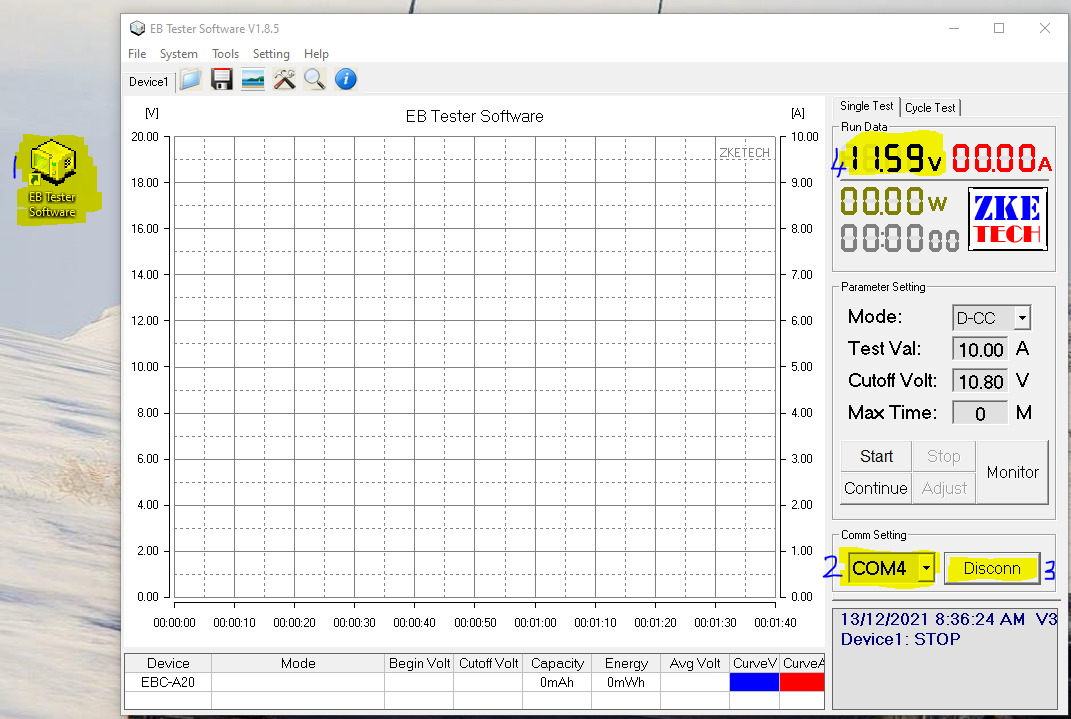
Open EB Tester software. Ensure correct COM port is selected and press Connect
The battery voltage should show up on the software and there should be a flashing red light by the connect button. -PC- will show up on the EBC-A20
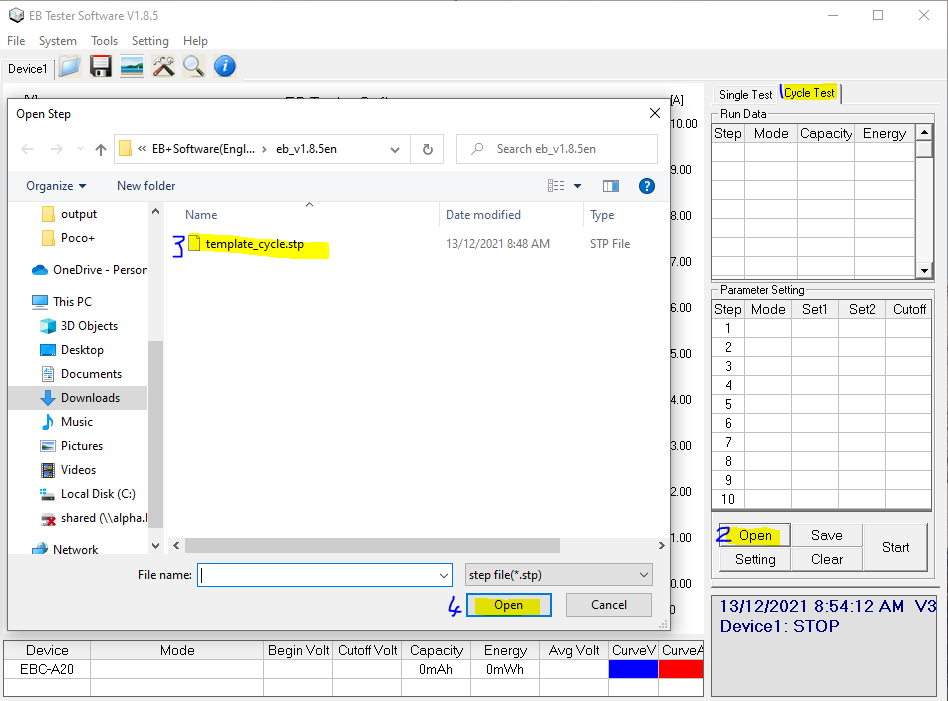
Select Cycle Test tab. Select Open and open
template_cycle.stp
Select Setting. Select Step 5 and change the current to Discharge Current. Select Ok
If you have a small battery (>30AH) you will need to change the charge current. The max charge current is usually written on the battery or in the datasheet. Set Step 1 and Step 7
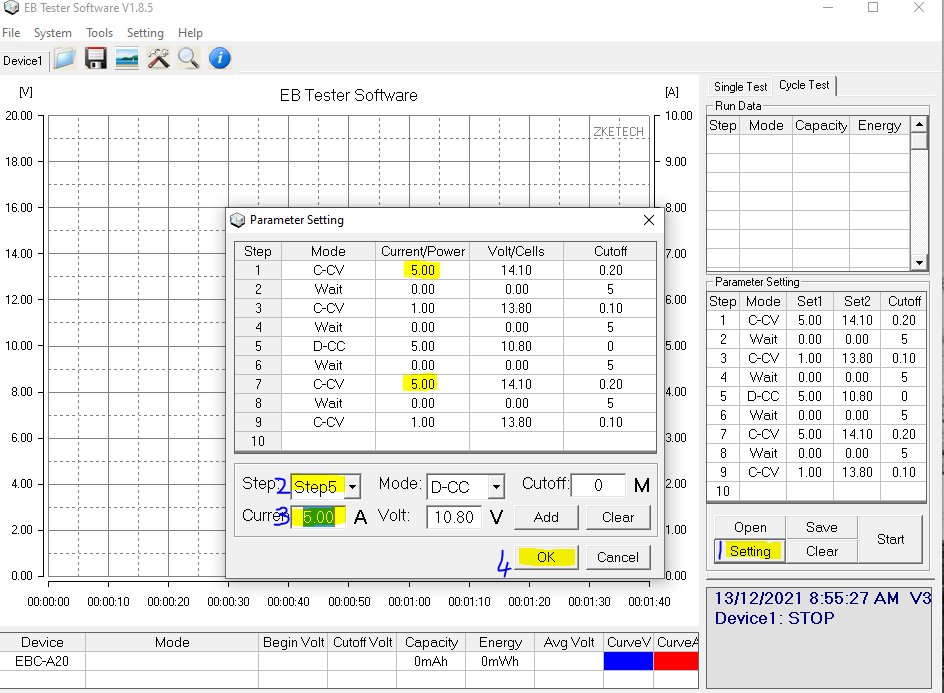
Press Start
Once finished note the capacity of the battery. Divide the tested capacity by the supposed capacity to get health.
Battery must be < 70% health to pass
Large batteries (<80Ah) with low health (50-70%) may be useful for testing electronics
Any thing less than 70% health has failed and can be scraped
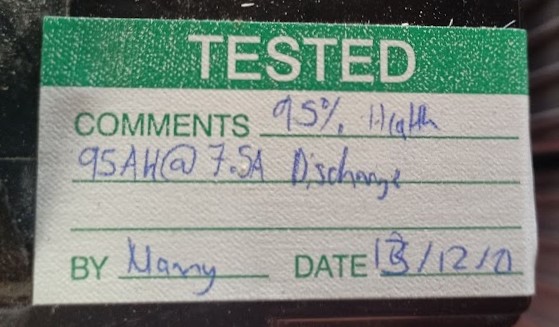
Use the appropriate label and note down the capacity, health, date, and name
Notes
The cycle first bulk charges the battery to 14.1V then does a float charge to 13.8V. This ensures the battery is fully charged before the discharge test. After the discharge it starts to recharge the battery.
The test can be stopped during the final charge stage if more batteries need to be charged.