Common Issues
First Layer
Issue |
Cause |
Solution |
|---|---|---|
Print not sticking to bed |
Bed not clean |
Clean bead |
Nozzle not clean |
Clean nozzle |
|
Printing environment too cold (>15°C) |
Use enclosure Turn on heater |
|
Low bed temperature |
Check bed temperature Increase bed by 5°C |
|
PINDA probe knocked |
Adjust PINDA probe |
|
Z height too high |
First layer calibration Live Z adjust |
|
Skirting on first layers Low extrusion Bubbling on first layer Nozzle gathering filament |
Z height low |
Clean nozzle First layer calibration Live Z adjust |
Mid Print
Issue |
Possible Cause |
Solution |
|---|---|---|
Excessive Stringing |
High extruder temp |
Check bed temperature Reduce extruder temp by 5°C |
Large prints lifting |
Bed not clean |
Clean print bed |
Low bed temperature |
Check bed temperature Increase temperature by 5°C |
|
Layer shift |
Print lifting off bed |
Follow ‘Large prints lifting’ |
Not extruding |
Incorrect filament type |
Reslice model for correct filament Remove and reinsert filament |
Incorrect extruder tension |
Check extruder tension Remove and reinsert filament |
|
Nozzle blocked |
Clean Nozzle Remove and reinsert filament |
|
PETG not shiny |
Low extruder temp |
Check extruder temp Increase temp by 5°C |
Old filament |
Put in food dehydrator for 15min |
|
Poor layer adhesion |
Low extruder temp |
Check printbed temp Increase temp by 5°C |
Minimum Temperature Error

Minimum temperature error screen¶ |
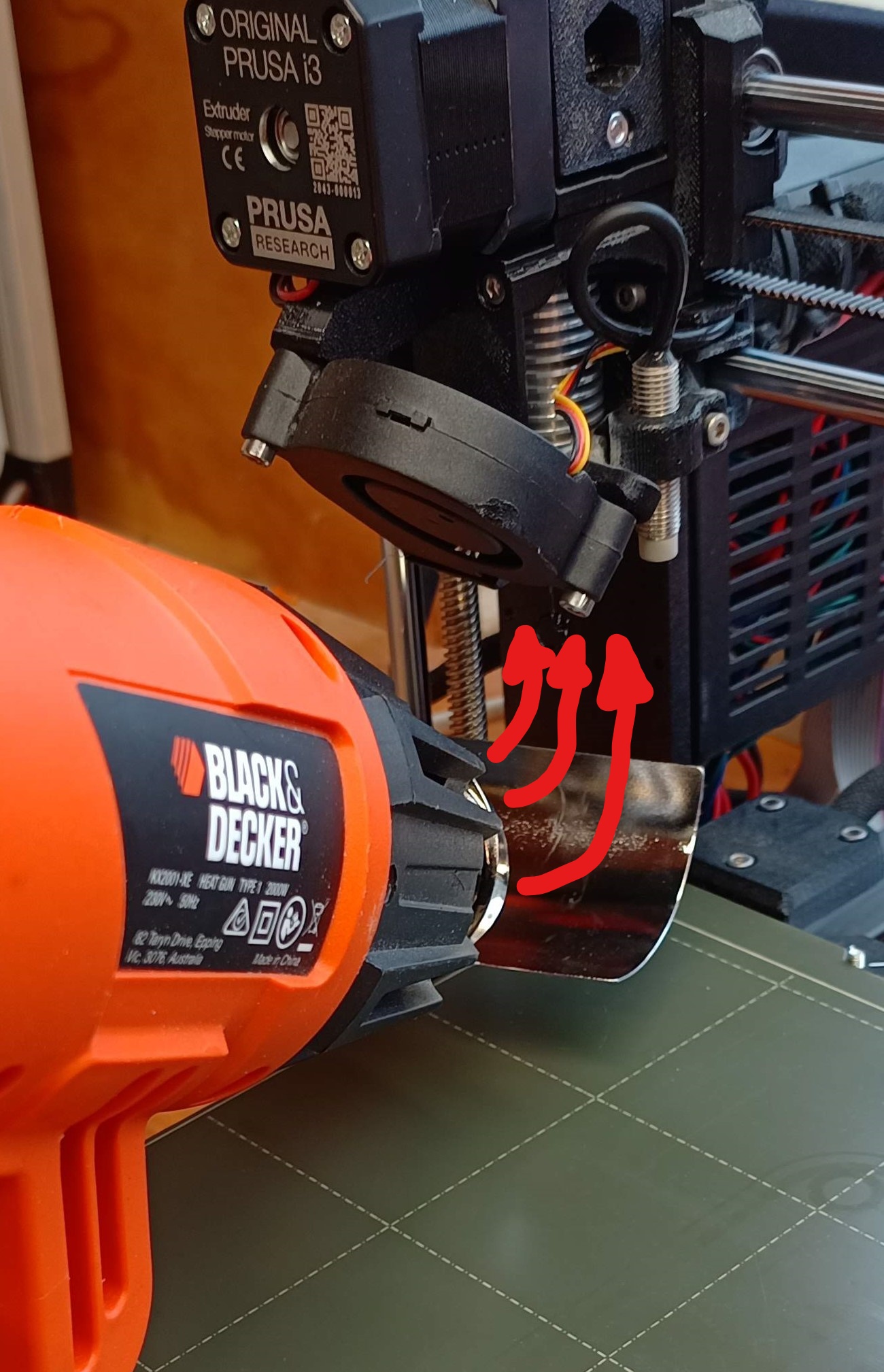
Use curved attachment to heat extruder¶ |
The Prusa has a quality check which disables printing if the ambient temperature is >10°C. Low environment temperature results in faster cooling, in turn, causing layer separation or lifting. This can be fixed by moving the printer to a warmer environment or utilizing a printing enclosure. The printbed will produce enough heat to keep the enclosure at a reasonable temperature.
If this is not possible, one can trick the printer into turing on.
Aim a heatgun at the printbed. Monitor the screen and remove the heat once the temperature has exceed 15°C
Heat up the extruder. This is best done with the curved attachement. There are parts of the extruder that are made of PETG which will soften/melt with excessive heat so be careful.
Once both extruder and heatbed are <15°C press the reset button
Immediately start your print. If not ready to print, preheat the printer
Consider raising the environment temperature by turning on a heater
https://3dprinterly.com/how-to-dry-filament-like-a-pro-pla-abs-petg-nylon-tpu/